Space map
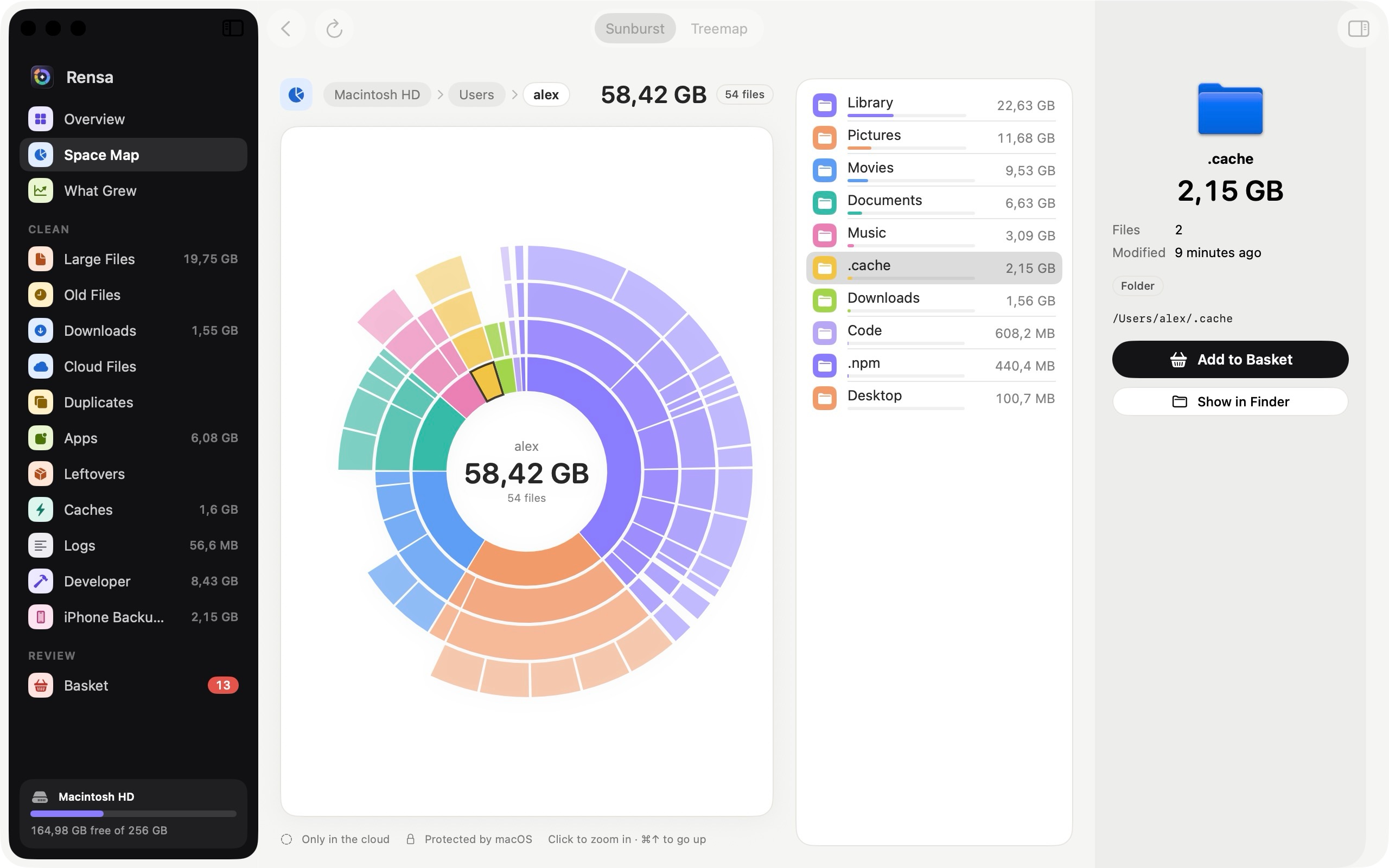
A sunburst or treemap of your whole disk. Click into any folder to see what fills it.
 Rensa
Rensa measures your disk, explains what is using it and helps you free space without breaking anything. No subscription, no account, nothing leaves your Mac.
macOS 26 or later · Free, with every feature · No ads
What it does
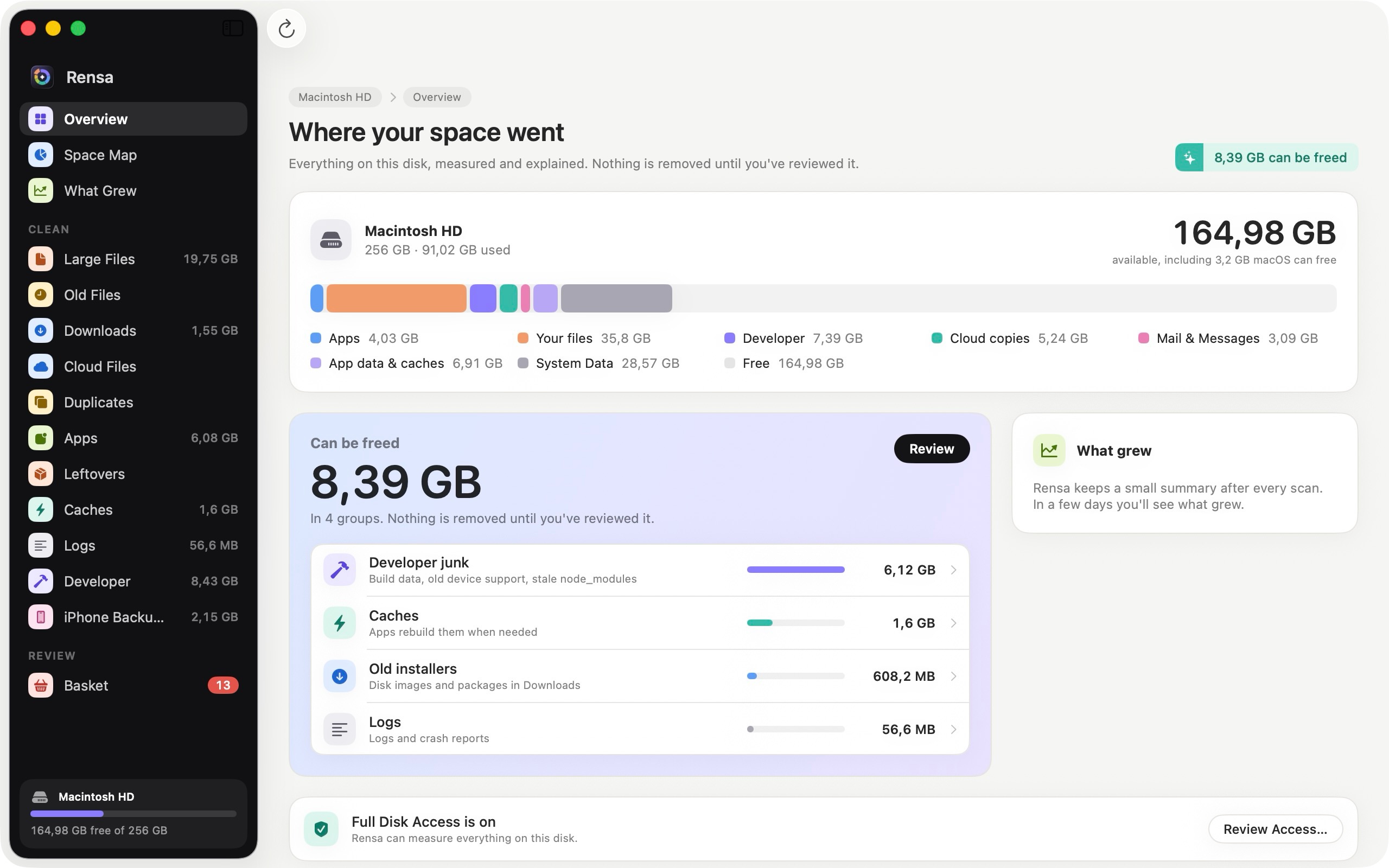
macOS shows a grey bar called System Data. Rensa shows what is actually in it, what is safe to remove and what isn't.
A sunburst or treemap of your whole disk. Click into any folder to see what fills it.
Caches, logs, old installers and developer junk, grouped and sized. Only what rebuilds itself is suggested.
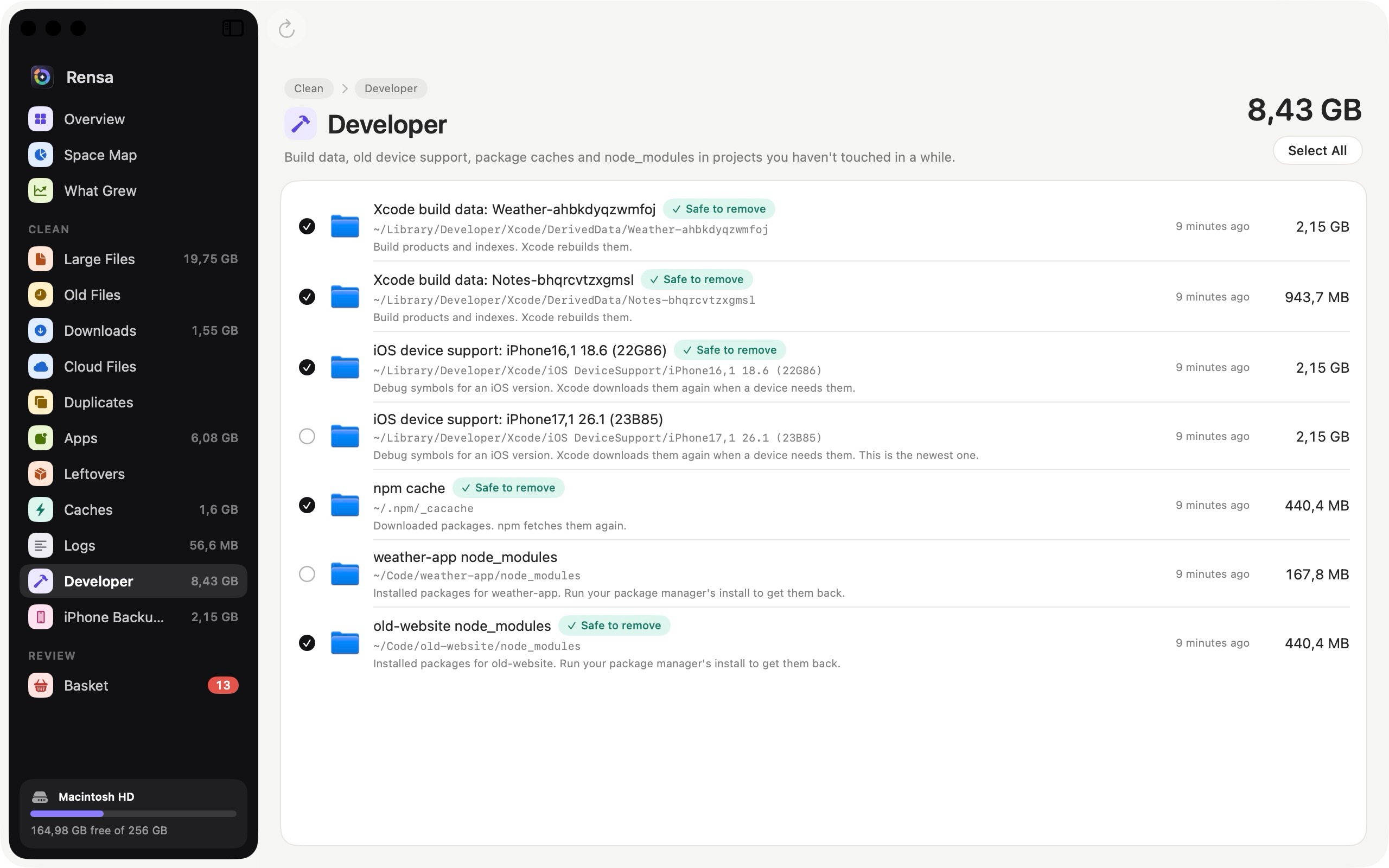
Xcode DerivedData, old device support, simulator caches, npm and Gradle caches, and node_modules in projects you've left.
Free the local copies of iCloud Drive, OneDrive and Dropbox files. They stay in the cloud and download again when you open them.
Every app with the data it keeps. Uninstall properly, or find what removed apps left behind.
Files with exactly the same content, compared byte for byte. The oldest copy is always kept.
Rensa keeps a tiny summary after every scan, so next week you can see which folders suddenly grew.
Every file says what it is and who uses it, like "Hugging Face model" or "Build output in a project", before you decide.
Space map
Rensa reads the names and sizes of millions of files in a minute or two, counts hard links once and never downloads cloud-only files to measure them. Click a ring to zoom in, and see what each item is in the inspector.
Safety
A cleaner is only useful if you can trust it. Every removal passes a safety check right before it happens.
Price
Every feature, for everyone. No subscription, no in-app purchases, no ads and no account. Rensa has no network code at all, so nothing about your files can leave your Mac.